
TOOLS FOR VIDEO: GET BETTER CONTENT
As a business owner, you’re busy, and the last thing you need is more complexity.
The goal here isn’t to turn you into a full-time content creator. It’s to improve the quality of what you’re already doing without adding friction or creating excuses not to shoot. This means simple tools that are used properly to make a noticeable difference.
A Decent Tripod
This is one of the easiest things to overthink, usually because people assume bigger or more expensive means better.
If you’re shooting on your phone, you don’t need a large, heavy-duty tripod. In fact, that usually works against you. The easier it is to grab, carry, and use, the more likely you are to actually shoot content.
Our Recommendation: Small Phone Tripod
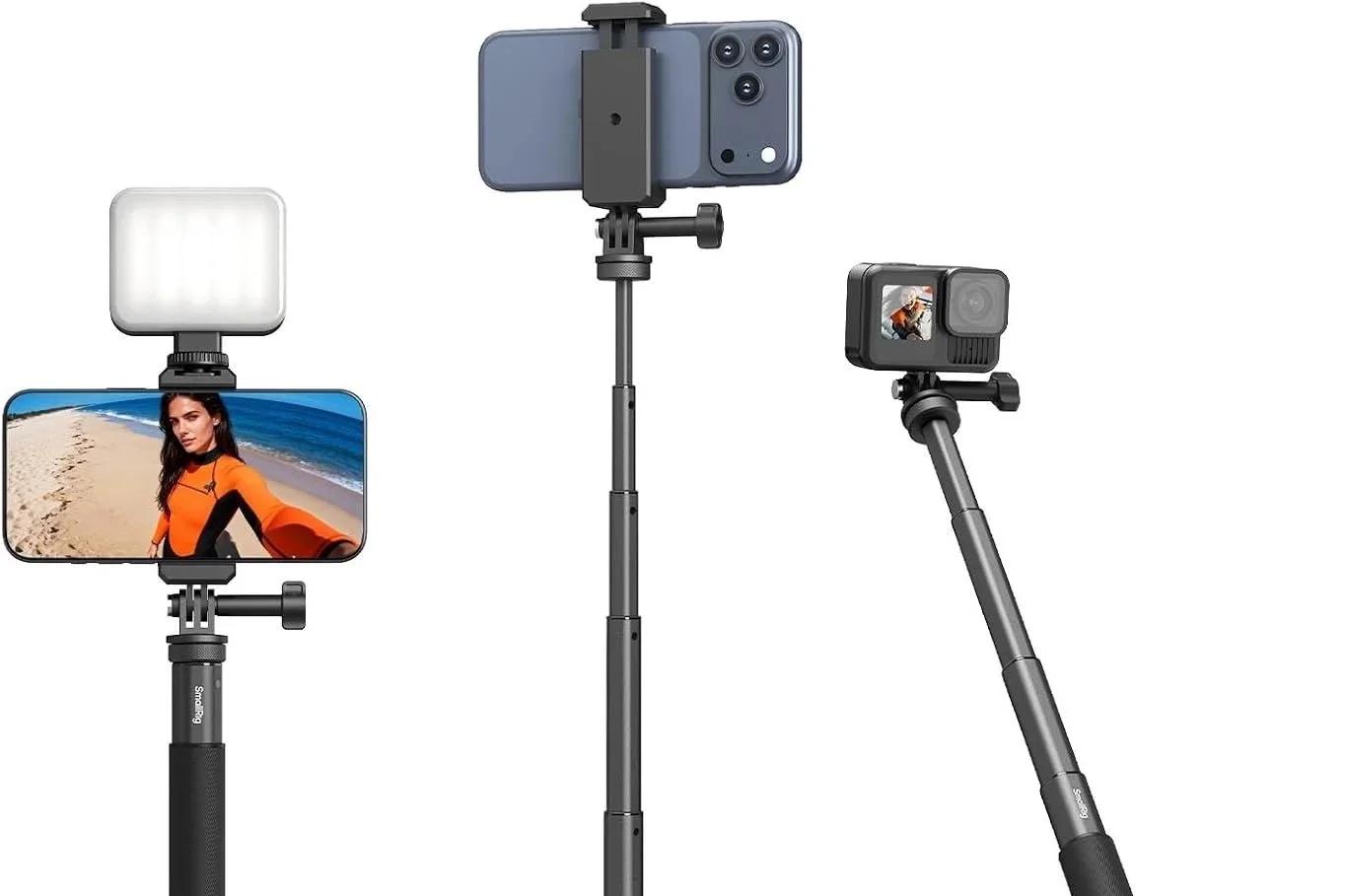
A small, telescopic tripod is more than enough for most business owners. Brands like SmallRig make great options, often including Bluetooth remotes for easy recording.
What matters is that it fits your workflow. It should extend when you need it to, feel comfortable in your hand, and be small enough to throw in a bag without thinking twice. If it’s convenient, you’ll use it. If it’s not, it’ll sit on a shelf.
Smartphone Gimbal
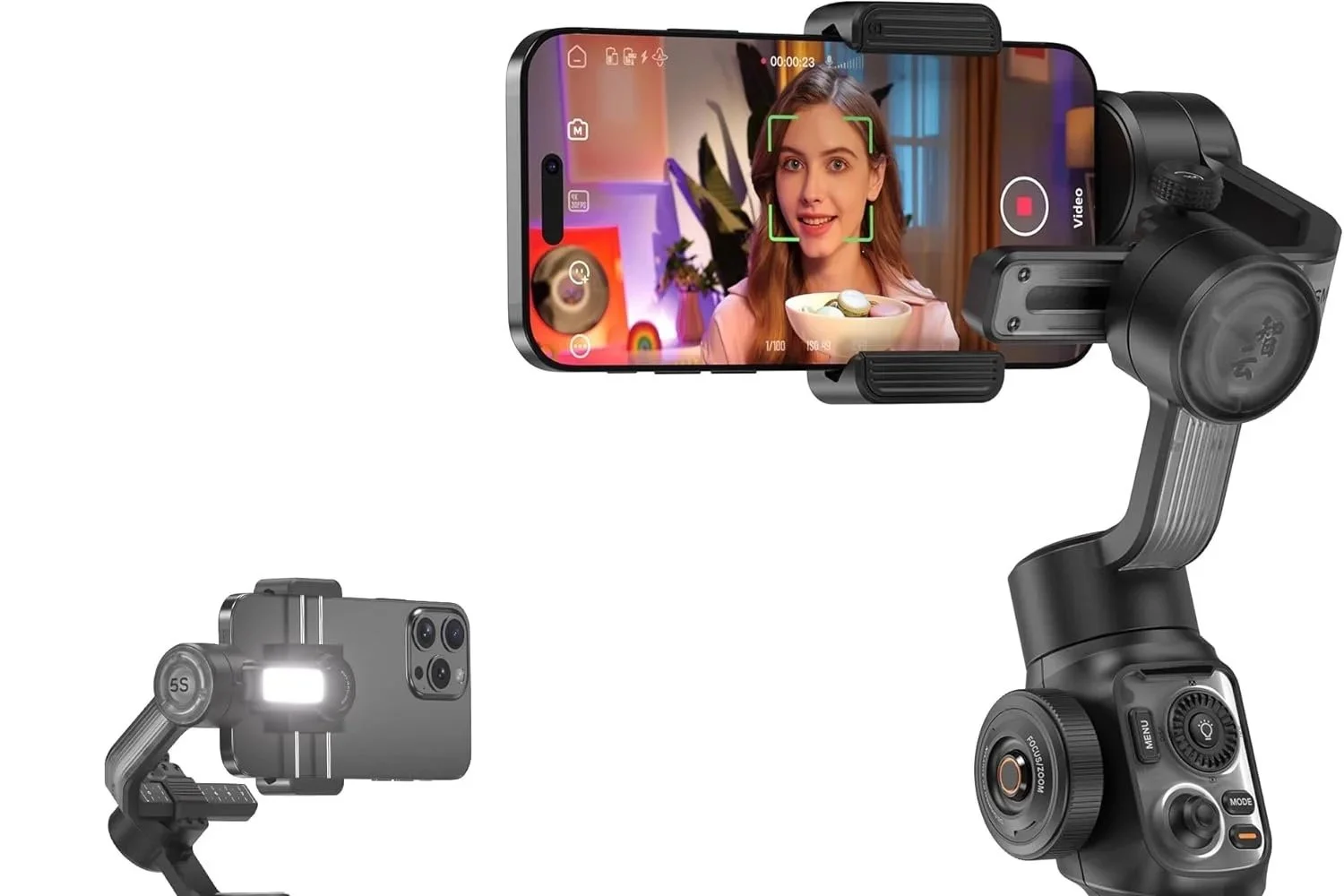
Brands like Zhiyun are a strong example of something affordable and easy to use.
This isn’t necessary, but it’s one of the fastest ways to noticeably improve your video quality.
If you want smoother, more professional-looking footage, a smartphone gimbal is worth considering. You can find solid options for under $200 CAD, and they make a big difference, especially for movement-based shots or ads.
When you’re looking at options, focus on battery life, flexibility with phone mounts, and whether it comes with a usable app. A good app makes things easier by giving you control without having to constantly adjust settings manually.
Large Tripod
A larger tripod really only makes sense if you’re shooting with a DSLR or planning to move in that direction.
It will do the job, but it adds a bit of friction. It’s harder to transport, you lose the ability to shoot handheld, and it’s just one more thing to think about when you’re trying to keep things simple. That said, it can be useful in certain setups, especially if you’re pairing it with a gimbal for things like subject tracking.
If you go this route, keep it practical. It doesn’t need to be expensive, but it should be adjustable and lightweight enough that you don’t avoid using it.
Wireless Lavalier Microphone
If video gets people to stop scrolling, audio is what keeps them there. Clear, understandable audio makes a huge difference in how your content is received. If people can’t hear you properly, they’re not sticking around, no matter how good everything else looks.
Budget Lavalier (Amazon Options)
If you’re just starting out or working with a tight budget, there are plenty of wireless lav mics available online that will get the job done. They’re affordable, easy to use, and a step up from your phone’s built-in mic. That alone can improve your content.
The trade-off is in the quality and usability. Audio can sound a bit thin, pairing isn’t always seamless, and most are limited in how and where you can use them. They also tend to be phone-specific, which can limit you later on.
Our Recommendation: DJI Mic Mini
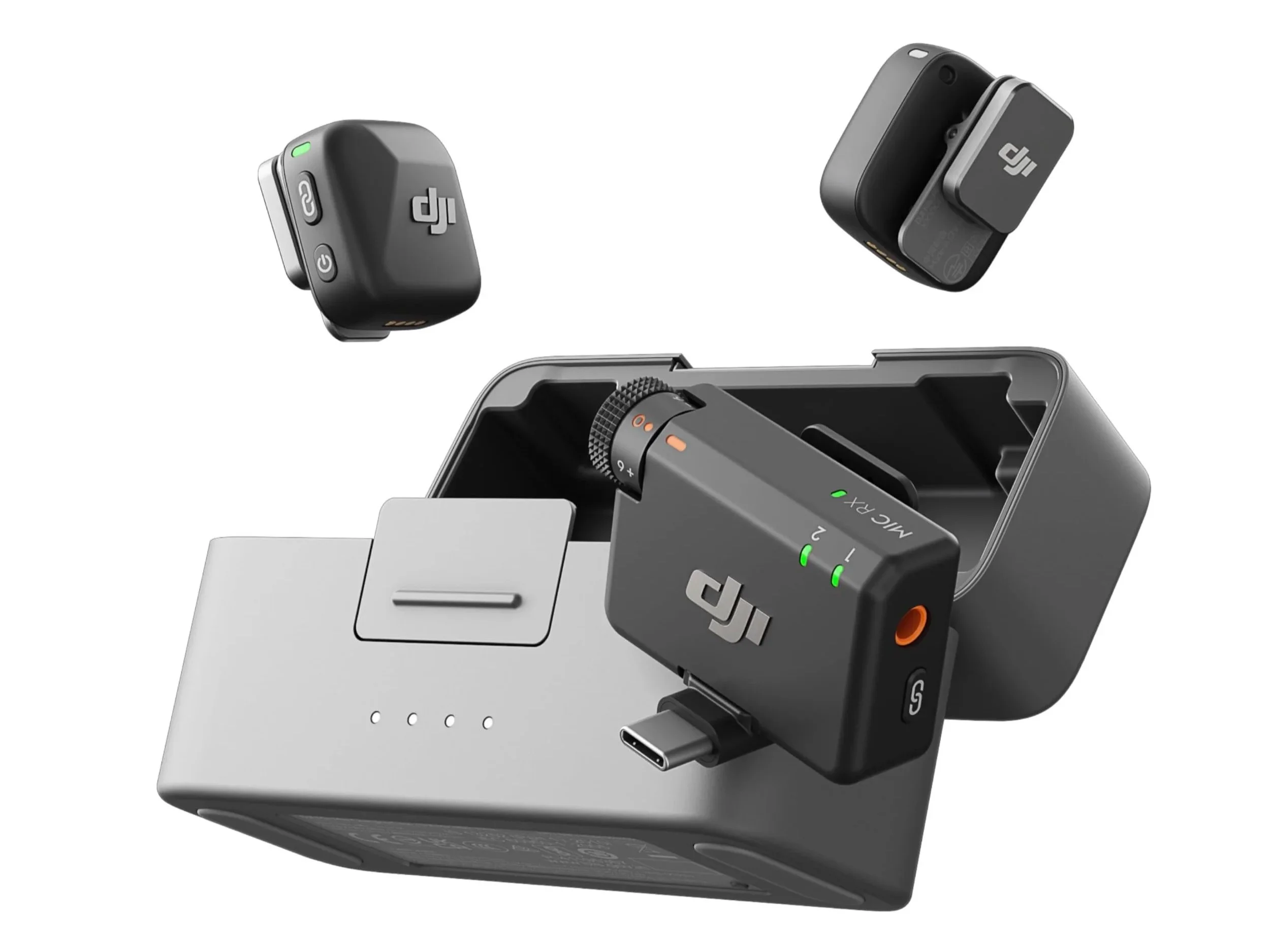
If you want a reliable option without going overboard, the DJI Mic Mini is a strong choice.
It sits well under $200 and comes with two microphones and a central receiver, making it usable across both smartphones and most DSLRs. The charging case is a big advantage, especially if you’re shooting throughout the day, and the pairing is quick and consistent.
The audio quality is noticeably better than most budget options, and having control over audio levels per channel gives you more flexibility when recording. It’s not the highest quality available, but for most business use, it’s more than enough and a solid step up.
External or Cloud Storage
Storage is one of those things you don’t think about until it becomes a problem.
Most phones come with 128GB or more now, which sounds like a lot, but once you factor in apps, personal photos, videos, and everything else, it fills up quickly. If you’re shooting content regularly, you’ll feel that pretty fast.
External Phone Storage
External phone storage is a simple way to offload content and free up space without much effort.
There are plenty of affordable options starting around $50, and they make it easy to transfer files directly from your phone. It’s a practical solution if you want to keep things lightweight and avoid running out of space mid-shoot.
Our Recommendation: External SSD
If you’re editing on a laptop, an external SSD is a better long-term solution.
Going with something in the 2TB range (or more, depending on how much video you’re shooting) gives you a central place to store everything. It helps you stay organized and makes it easier to build and maintain a proper content bank over time.
Cloud Storage (iCloud / Google Drive)
If you’d rather avoid hardware altogether, cloud storage is a solid option. Services like iCloud and Google Drive let you access your content from anywhere, which is useful if you’re working across multiple devices.
That said, if your content is indisputable (ie. for ads or long-term use), it’s worth having some form of backup. Combining cloud storage with a physical option gives you that extra layer of security.